
Free steel bolt group analysis calculator
How to use the free steel bolt group analysis calculator
- 1
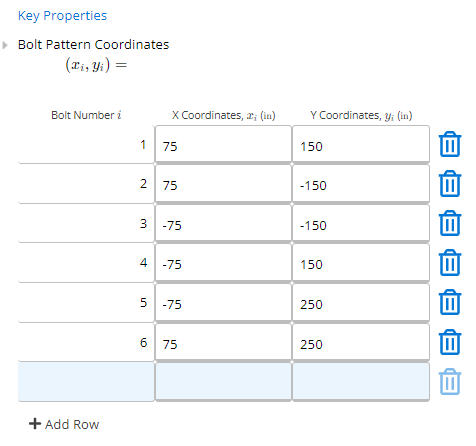
Enter bolt locations
Define each bolt by its X and Y coordinates relative to a reference point. Any pattern is supported.
- 2
Apply loads
Enter applied shear forces (V_x, V_y) and the in-plane moment (M) at the bolt group centroid or at an eccentricity from it.
- 3
Check results
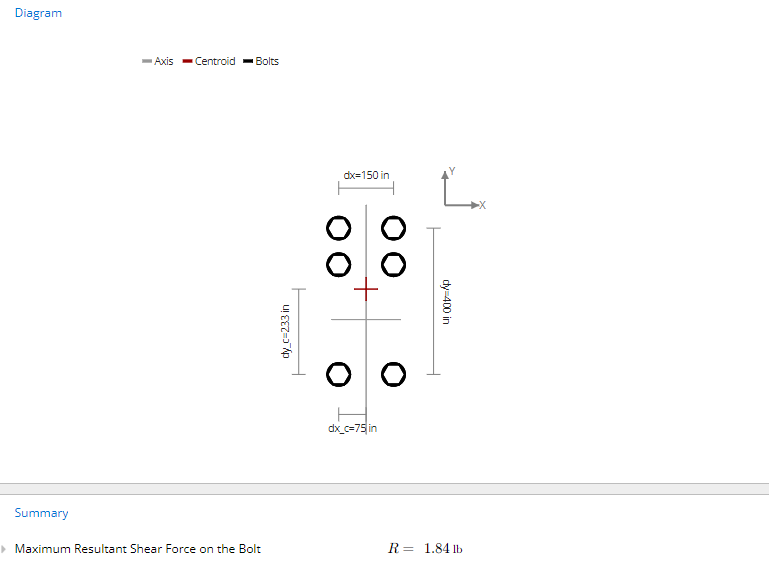
The calculator returns the maximum resultant shear on the critical bolt. Compare against your bolt's design shear capacity.
About this calculator
Effortlessly analyze steel bolt connections using the Calcs.com Steel Bolt Group Analysis Calculator. This powerful tool allows for the analysis of numerous steel bolts located at arbitrary X and Y positions, considering in-plane shear and moment loads. Users must independently verify and assess bolt design and detailing requirements.
Standard: AISC Steel Construction Manual, 15th Edition
How to use the free steel bolt group analysis calculator
Analyze numerous steel bolts at arbitrary X and Y positions. The calculator considers in-plane shear and moment loads and handles symmetrical and unsymmetrical bolt groups.
The sheet has: Key Properties (bolt locations), Applied Loads and Eccentricities, and Summary (max shear on bolt and diagrams).
Related calculators
Frequently asked questions
What is a bolt group analysis?
Does this calculator handle eccentric loads?
What types of bolt patterns are supported?
Does this give me a design check (pass/fail)?
Is this calculator free?
Get more functionality with a free Calcs.com trial
Experience the full power of Calcs.com with a 14-day free trial.