
Free beam analysis calculator
How to use the free beam calculator
- 1
Enter beam geometry
Set the span length (L), elastic modulus (E), second moment of area (I_x), and cross-sectional area (A). The default section is a W14x68.
- 2
Set your supports
Add pin, roller, or fixed supports at any position along the beam. Cantilever configurations are supported.
- 3
Apply loads
Add point loads, uniform distributed loads, linearly varying loads, or applied moments anywhere on the span.
- 4
Read the diagrams
Bending moment, shear force, and deflection diagrams update instantly. Per-span and per-support reaction summaries are shown below the diagrams.
About this calculator
Perform lightning fast analysis of simple and continuous beams using the Calcs.com beam calculator. With support for unlimited loads and supports, plus highly accurate FEA based results for moment, shear, and deflection, the Calcs.com beam analysis calculator is the fastest way to model and engineer beams.
How to use the free beam analysis calculator
The Calcs.com beam calculator allows the user to input the geometry and loading of a beam for analysis in a few simple steps. It then determines bending moment, shear and deflection diagrams, and maximum demands using a powerful finite element analysis engine.
Signing up for a Calcs.com account will unlock further advanced features for design and analysis of beams and a variety of other structural elements. Calcs.com enables design in steel, concrete and wood, according to Australian, US and EU standards.
The sheet is divided into three main sections:
- 'Key Properties', where the user inputs the geometry of their chosen section and the beam supports.
- 'Loads', where you can input distributed, point and applied moment loads.
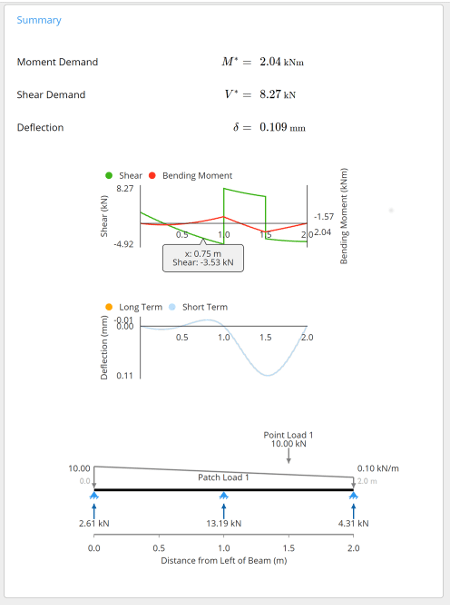
- 'Summary', which displays the key outputs and diagrams.
A 'Comments' section is also included for the user to leave any specific design notes. Clicking on any of the input/property labels gives a descriptive reference explanation.
1. Input key properties
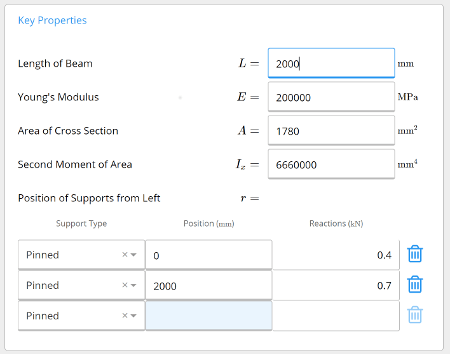
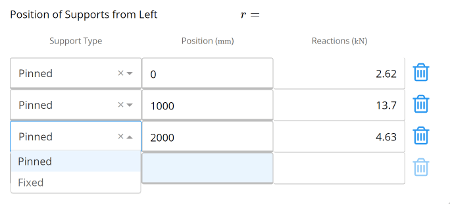
The properties of the beam and section are specified by typing directly into the input fields. Length of Beam is the total including all spans. Young's Modulus defaults to 200,000 MPa or 29,000 ksi for structural steel. Area of the Cross-Section and Second Moment of Area are specific to the beam section. The properties for other sections can be obtained from the section properties library or our free moment of inertia calculator. Position of Supports from Left allows any number of supports (pinned or fixed). The beam calculator also allows cantilever spans at each end.
2. Input loads
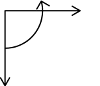
The calculator supports distributed loads (uniform or linear), point loads, and applied moments. Each load can be named. Sign convention is shown in the calculator.
3. Calculation summary outputs
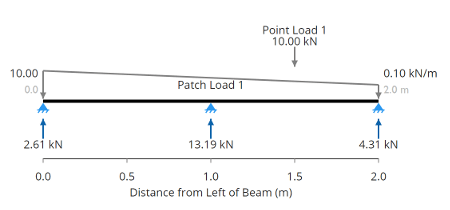
Once loading and geometry are specified, the calculator uses the finite element analysis engine to determine moments, shear forces and deflections. Maximum values and diagrams are shown. Hover over the diagrams for values at any point.
Related calculators
Frequently asked questions
What types of beams can this calculator analyse?
What inputs do I need?
What outputs does the calculator produce?
What is locked behind a Calcs.com account?
Is the beam calculator free to use?
Get more functionality with a free Calcs.com trial
Experience the full power of Calcs.com with a 14-day free trial.